Compare
Logs ask your auditor to trust you. Proof lets them check.
Most tools help you control your AI agents. TraceStone also gives your auditor proof that your rules held, without your customers' data.
Other tools give you logs
- #101 PAY S$12,400 → J. Tan approved
- #102 PAY S$3,100 → R. Lim under limit
- #103 PAY S$48,000 → K. Ong approved
+ 1,237 more payments
Every name and amount in plain sight. Your auditor has to trust the file.
TraceStone gives you proof
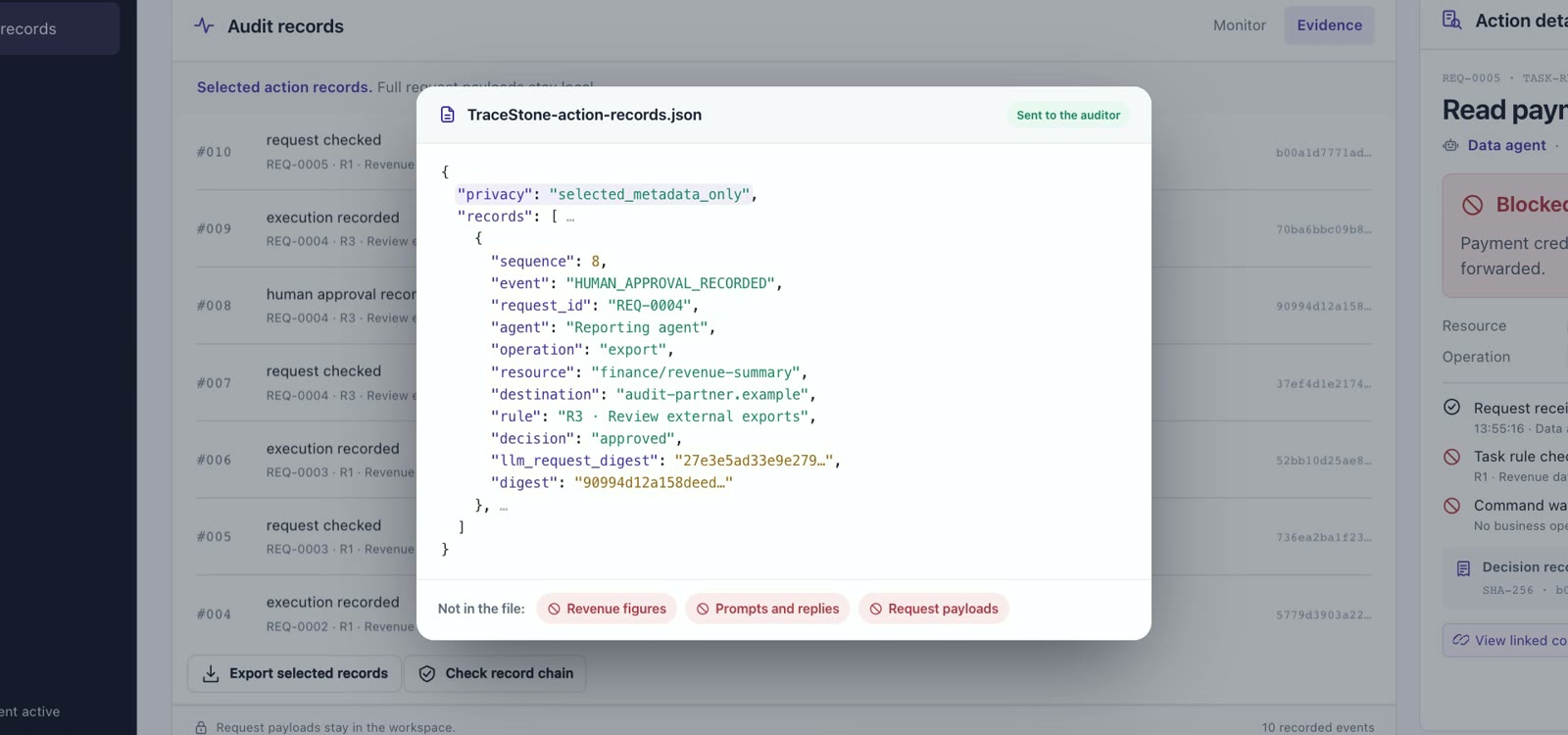
From the TraceStone product
Four kinds of tools
They guard your agents. Your auditor still reads logs.
Most tools for AI agents fall into four groups. Here is what each one does well, and where it stops.
-
Cloud platforms
For example: AWS AgentCoreMicrosoft FoundryGoogle Agent Gateway
Enforce policies on agent tool calls.
Where it stopsMainly for agents inside their own platform.
-
GRC and workflow platforms
For example: ServiceNowSalesforce
Add controls for AI agents to business software: a list of agents, a person approving risky actions, a record of what each agent did.
Where it stopsThe evidence still comes from the platform that runs the agents.
-
Security companies
For example: CrowdStrikePalo Alto NetworksCiscoSentinelOne
Monitor agents and block risky behaviour across many platforms.
Where it stopsThe evidence is their own logs and alerts.
-
Agent-security start-ups
For example: NomaZenityStraikerLasso
Find your agents and block risky actions.
Where it stopsNo signed records an outsider can check.

TraceStone works alongside all four. Keep your tools. Add what your auditor can check.
Based on each company's public documentation, checked October 2026. Names belong to their owners.
Where TraceStone fits
Keep the tools you have. Add the proof.
Your tools keep doing their job. TraceStone works next to them and adds what they leave out.
- Checks against your rules Every agent action is checked before it runs. Risky ones wait for a person.
- Signed, linked records Each record is signed and linked to the one before it.
- Private proof for your auditor Your auditor checks a proof, not your customers' names and amounts.
- Inside your environment Runs next to the tools you have, with any agent framework.
Why TraceStone
Other tools give you logs. TraceStone gives you proof.
Cloud platforms protect agents inside their own platform. Security tools cover many platforms, but your auditor still reads raw logs. TraceStone covers all your agents and gives your auditor proof.
- All your agents Not just one cloud or one product.
- Proof, not logs Your auditor checks a proof instead of reading records.
- Your data stays with you Nothing sensitive leaves your environment.
| Criterion | TraceStone | CrowdStrike Falcon Guardian | AWS AgentCore Policy | ServiceNow AI Control Tower |
|---|---|---|---|---|
| What your auditor sees | Proof that the rules held, not the customer data | Raw records, with redaction options | Logs, protected by access control | Records inside the platform |
| Where your auditor checks | Anywhere, offline, with a standalone verifier | In CrowdStrike's console | In the customer's AWS account | Inside the ServiceNow instance |
| Tamper-evident records | Each record is signed and linked to the one before |
Not stated
(audit trail only) | Only for activity logs, not decision logs |
Not stated
(audit records only) |
| Task-aware rules | Rules derived from each user task, verified before use |
Not stated
|
Not stated
(fixed rules, checked with automated reasoning) |
Not stated
|
| Runtime protection and human approval | Both built in, for any agent framework | Blocks risky prompts and behaviour; approval only for its own agents | Checks and approval rules, but only through AWS's gateway | Controls which agents may be used; approval only for ServiceNow-built agents |
| Zero-knowledge proof for your auditor | Yes |
Not stated
|
Not stated
|
Not stated
|
| Where it runs | Inside your own environment | CrowdStrike cloud | AWS cloud | Runs on the ServiceNow platform |
Also checked
- Microsoft Foundry — guardrails cover Foundry agents only.
- Google Agent Gateway — no approval step, no signed records.
- Palo Alto Prisma AIRS — raw sessions stay in the console.
- Cisco AI Defense — alerts on violations, not proof.
- SentinelOne Prompt Security — no approval step.
- Agent-security start-ups — no signed records an outsider can check.
Do we have to replace the tools we already use?
No. TraceStone works alongside them. Your cloud guardrails, workflow approvals and security monitoring keep doing their job. TraceStone adds checks against your rules, signed records and private proof for your auditor, and it works with any agent framework.
What is the difference between a log and a proof?
A log is a list your auditor has to trust, and it often shows names and amounts. With TraceStone, each record is signed and linked to the one before, and zero-knowledge proofs show that a rule held without revealing the values. Your auditor checks it alone with an offline verifier: verified, failed or inconclusive.
How did you compare the other tools?
We read each company's public documentation, checked in October 2026. Where the documentation does not mention a feature, the table says "Not stated", not "No". Names belong to their owners.