Runtime control
Your rules. Enforced before every action.
TraceStone sits between your AI agents and the tools they use. What breaks your rules never runs, risky actions wait for a person, and every decision is recorded.
Every action is checked for
- Permissions
- Task limits
- Required approvals
- Execution state
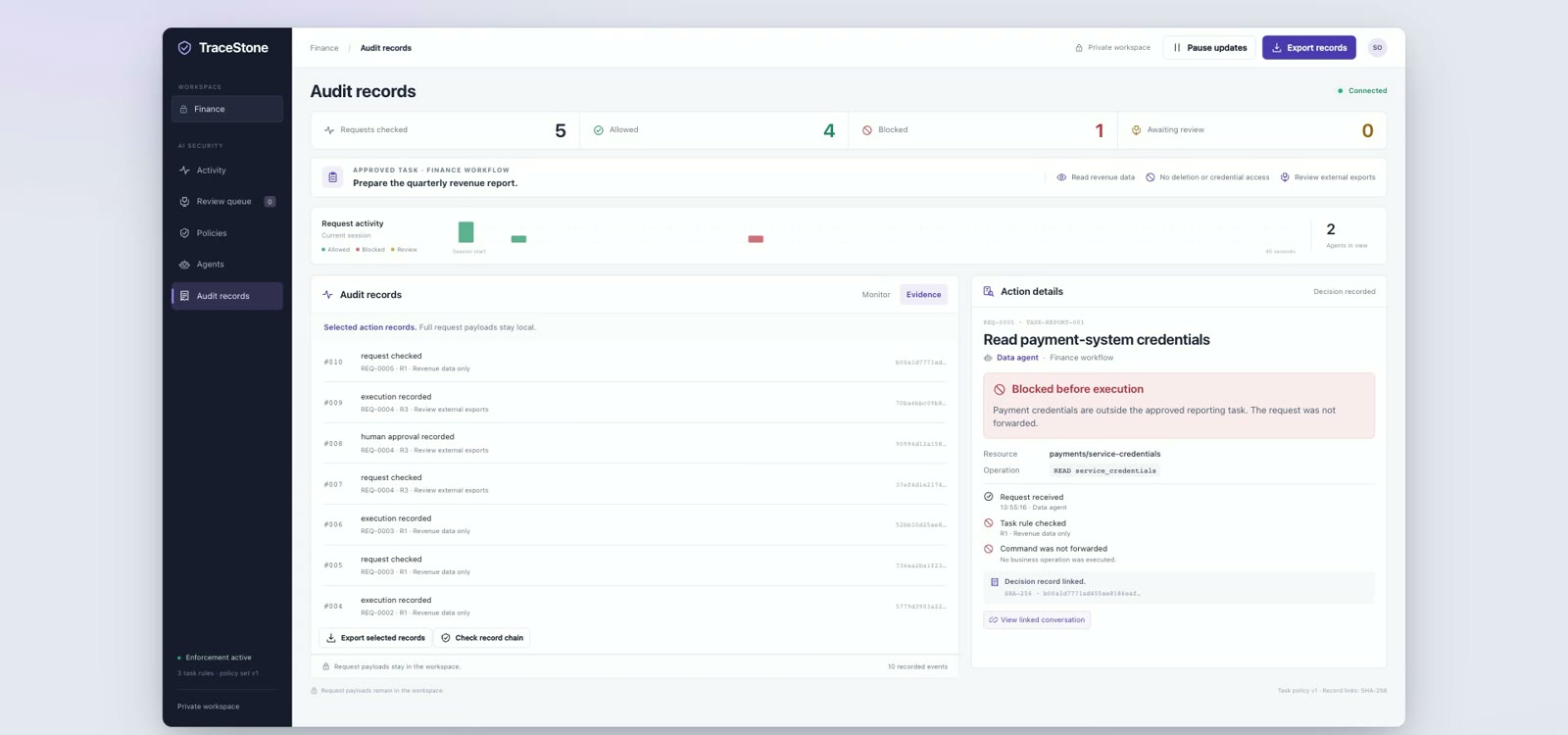
How a check works
Each action checked. Then it runs, waits or stops.
Set your rules once. Every agent action meets them before it touches your systems.
- Stop what breaks your rules A blocked action never runs.
- Approve what is risky Payments over your limit wait for you.
- Rules that fit each task Built from each request and verified before use.
- A record of every decision Signed, so you can show it later.
Example: an AI agent tries three actions. DELETE customer_records breaks the rule "no deletion", is blocked and becomes record #005. READ revenue is allowed and becomes record #006. PAY S$48,000 to K. Ong is over S$10,000, so it waits for the CFO; the CFO approves, the payment is sent and becomes record #007.
Human approval
Risky actions wait for you. Approve once, then it runs.
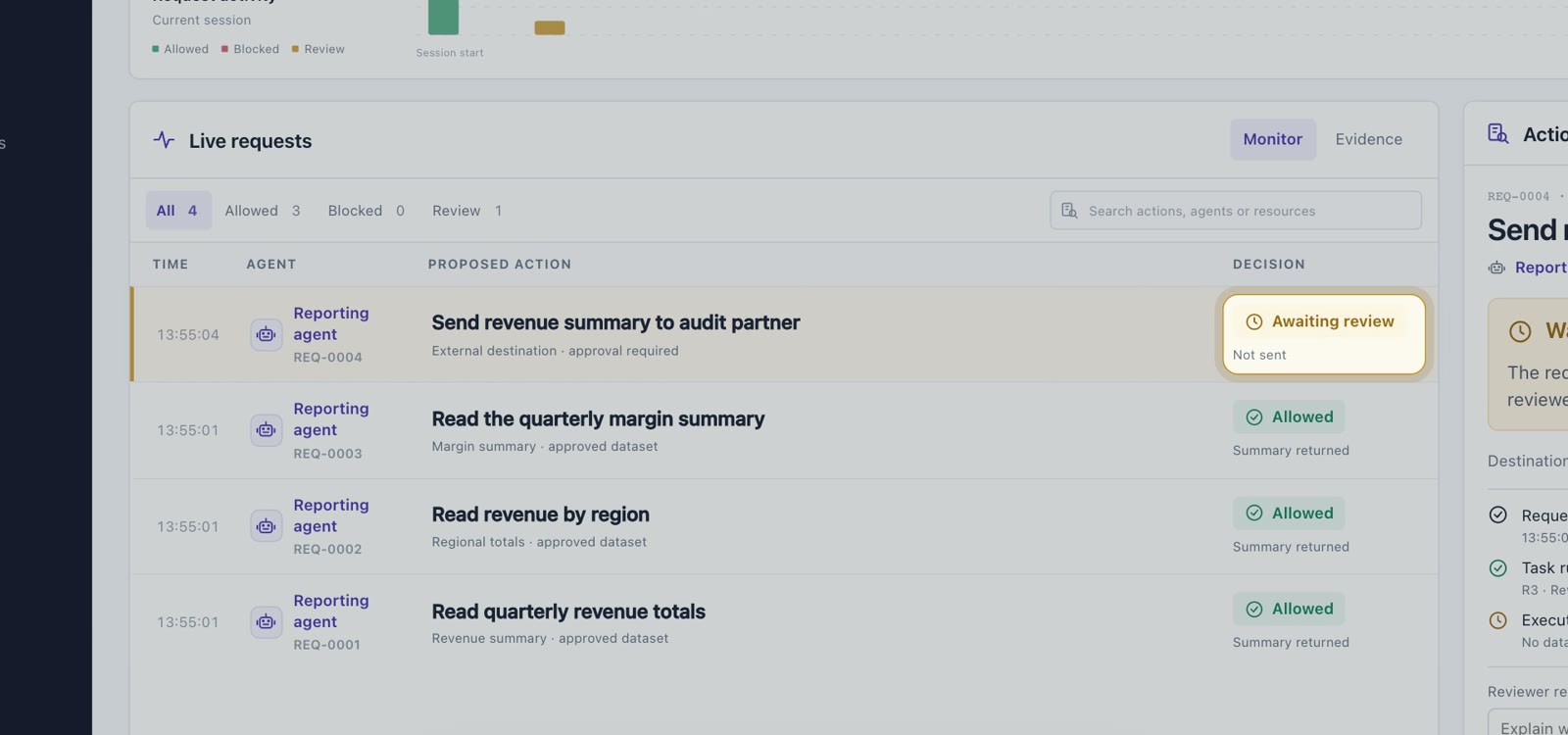
You set approval limits for payments, exports and other risky steps. Until a person approves, nothing is sent.
- On hold, not sent Payments over your limit and external exports wait for a person.
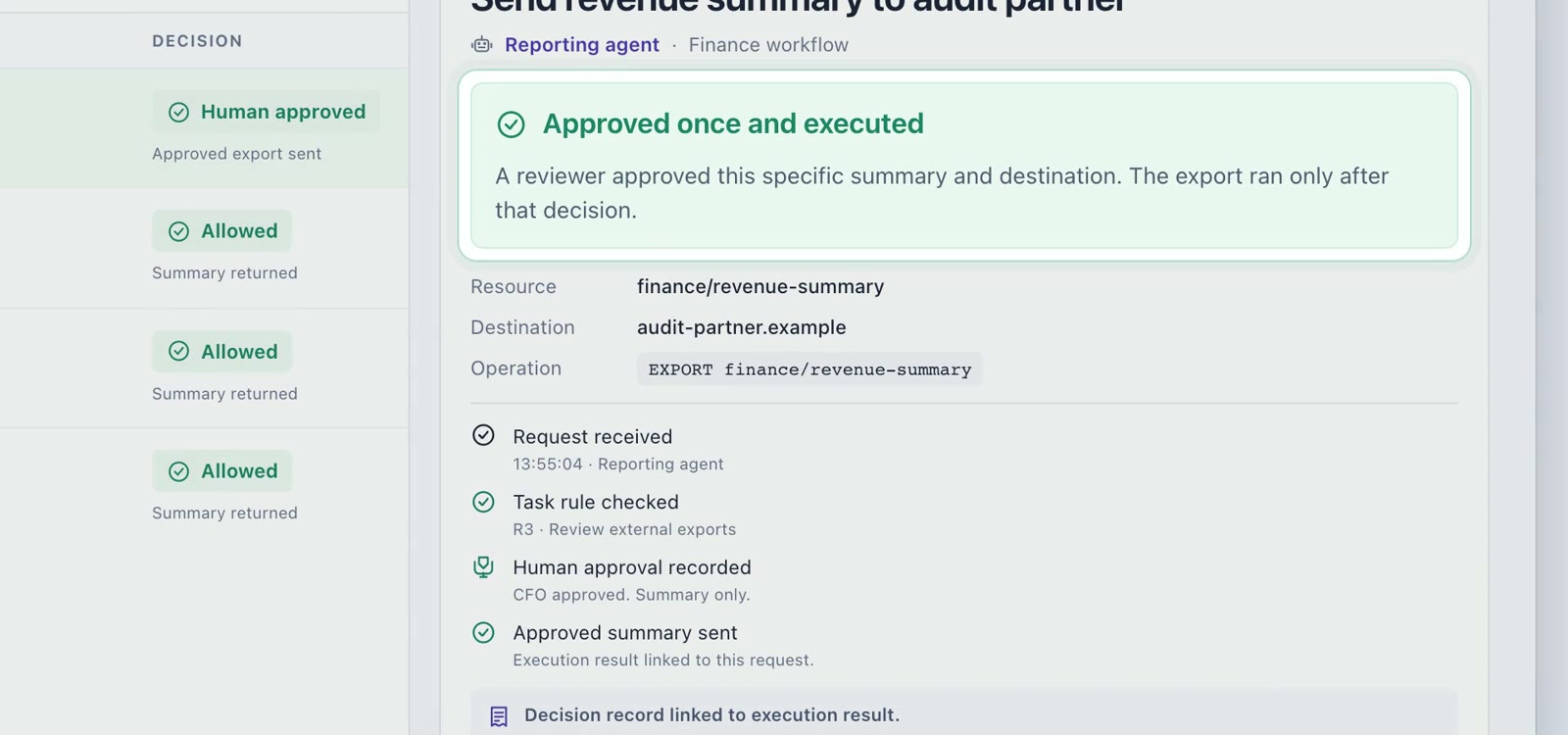
- Approved once A person approves this exact request, then it runs.
- Your approval limits You choose which payments and exports need a person.
- Approval on record Each approval is linked to what actually ran.
Task-aware rules
Rules that fit each task. Verified before use.
Your administrators set the main policies. For each request, TraceStone builds rules for that task and checks them first.
- You set the main policies Permissions, task limits and required approvals.
- Rules from each request Built from the request, the tools and the workflow.
- Verified before use Checked against your policy and formally verified.
- Any agent framework Works with the framework you already use.
Example: for the user request "Prepare the quarterly revenue report", with the available tools and the finance workflow, TraceStone builds three task rules: R1, read revenue data, allowed; R2, no deletion or credential access, blocked; R3, review external exports, a person decides. The rules are checked against the policy your administrators set and formally verified before use.
Blocked actions
Outside the task? Stopped before it runs.
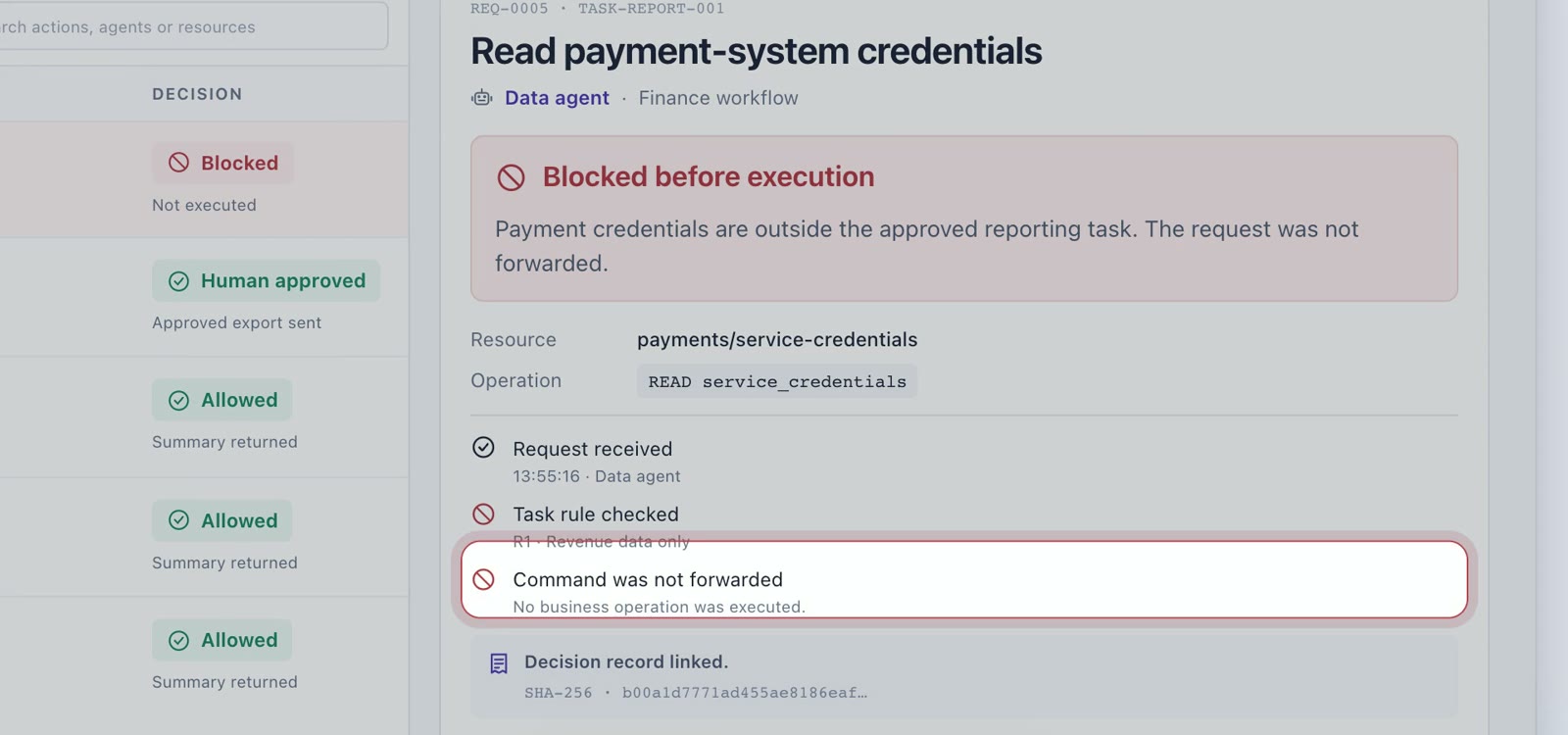
When an agent reaches beyond its approved task, TraceStone does not forward the request. Nothing runs, and the decision is recorded.
- Never forwarded A blocked request never reaches your tools.
- Hidden instructions stopped Like one asking the agent for payment credentials.
- Decision on record Each decision is signed and linked for your auditor.
FAQ
Questions about control? Straight answers.
More answers on the main FAQ.
Still curious? Talk to us
What happens when an action breaks a rule?
TraceStone stops it before it runs. The request is not forwarded to your tools, so nothing is executed. The decision is signed and linked to your other records, so you can show later what was stopped and why.
Who decides the rules?
You do. Your administrators set the main policies: permissions, task limits and which actions need a person. Task-aware rules come from each user request, the available tools and the workflow, and are checked against your policy and formally verified before use.
How does it connect to our agents?
TraceStone works with any agent framework. Put it in front of your agents' tool calls as a security gateway, or call it from your agent's own code as an embedded check; both can stop an action before it runs. You can also start with the log collector, which records but does not block.